Delivering for Grubhub appeals to many who want flexible work. With the ability to set your own hours and earn extra income, it has become a go-to choice in cities across the United States.
This article is for anyone thinking about becoming a Grubhub delivery partner. It breaks down everything needed before applying, plus tips to make the most of every shift.
Understanding the Role of a Grubhub Delivery Driver
A Grubhub driver’s role is straightforward: accept delivery requests, pick up orders from local restaurants, and deliver them safely to customers. It requires efficiency, reliability, and good communication.
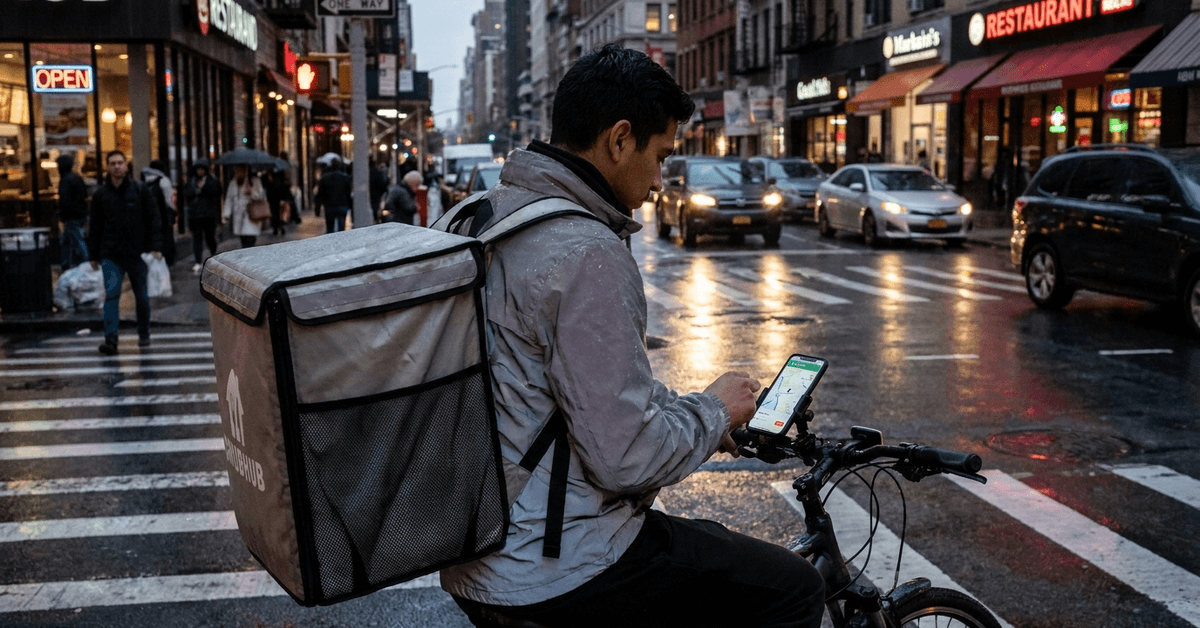
Each city brings different challenges. In places like New York City or Chicago, traffic patterns and parking require careful planning. In smaller towns, less congestion might help with faster delivery times, though there may be fewer orders during off-peak hours.
Using the Grubhub Driver app is essential. It guides drivers through every step, from displaying order requests to navigation and earnings summaries.
Requirements to Become a Grubhub Delivery Driver
Before applying to deliver with Grubhub, candidates need to meet several basic eligibility requirements. Understanding the required documents, transportation options, and local conditions can help applicants prepare for the registration process.
Age and Legal Eligibility
Applicants must be at least 18 or 19 years old depending on the city. For example, Chicago requires drivers to be 19 or older while others allow 18.
Having the legal right to work in the U.S. is a must. Immigration documentation or proof of citizenship may be requested during onboarding.
Vehicle Requirements
Most deliverers use a car, but in many cities, bikes and scooters are options. The vehicle has to be insured and meet local regulations. A background check will typically include verifying the driver’s license and insurance details.
- Valid driver’s license (for motor vehicles)
- Proof of auto insurance (if driving)
- Bikes can be registered in select metro areas (e.g., NYC, San Francisco)
Smartphone and Technology
A compatible smartphone, iPhone (iOS 11+) or Android (5.0+) is necessary, since the Grubhub Driver app is required for all activity.
Background Check and Screening
Applicants undergo a background check looking for recent felony or serious driving infractions. Most screens clear in a few days, but unusual reports might cause delays.
How to Apply for a Grubhub Delivery Driver Job
- Go to the official Grubhub for Drivers website.
- Choose your city and begin the sign-up process.
- Enter basic contact info and driving details.
- Upload documents like your license and insurance.
- Consent to a background check.
- Wait for a decision via email (approval times vary by area).
Once approved, drivers can activate their Grubhub Driver account immediately and schedule their first blocks or log in when ready to work.
Setting Up for Your First Day
Preparing for your first day can make the delivery experience smoother and less stressful. Checking your equipment, app settings, route options, and essential supplies beforehand helps you start organized and ready.
Gathering the Right Gear
A sturdy insulated bag helps keep food orders hot and earns better customer reviews. Grubhub often provides branded bags as part of onboarding, but any high-quality one passes standards.
Car mounts for phones and portable chargers are very useful for seamless navigation and stable operation throughout a long shift.
Getting Familiar with the App
The Grubhub Driver app is the main tool. It shows available time blocks, helps track earnings, and provides in-app navigation through Google Maps or Waze. Spend some time learning its features before going live for the first time.
Tips for Maximizing Grubhub Earnings
Maximizing Grubhub earnings involves more than simply completing more deliveries. Smart timing, efficient routes, and careful expense management can help drivers make better use of their time on the road.
Pick the Right Hours
Peak periods, like weekday lunch or Friday and Saturday dinner, usually deliver more consistent orders and higher pay. Major cities such as Los Angeles, Houston, or Boston often have strong demand during these times.
Work Smart Locations
Some areas have dense clusters of partner restaurants, leading to shorter drives and more deliveries per hour. Downtown districts, university neighborhoods, or business centers typically have higher order volume.
- Use the app’s heatmaps (if available)
- Experiment with shifts in several neighborhoods
Stacking Orders and Bonuses
Grubhub allows drivers to accept multiple orders from nearby restaurants during busy periods. This can raise hourly earnings significantly by cutting down on wait time between trips.
Pay attention to extra incentives. Promos might pop up during major events or short-staffed nights. Tracking these can really add up throughout the month.
Communicating with Customers
Clear, polite texts about delays or questions can prevent negative reviews. Many repeat customers may even tip more when they see extra effort made for their order.
Monitoring Ratings and Feedback
Maintaining a strong completion rate marks a driver as reliable and can lead to priority scheduling for busy slots.
Common Challenges for Grubhub Drivers
Grubhub drivers may encounter everyday delivery challenges, from traffic and restaurant delays to changing order demand. Knowing what to expect can help drivers respond efficiently and manage their time more effectively.
Weather and Traffic
Heavy rain, snow, or rush hour traffic can slow deliveries. Some drivers choose to work around storms or avoid prime transit gridlocks, such as in San Francisco’s downtown after 4pm.
Managing Multiple Apps
To increase order volume, some drivers run other delivery apps (like DoorDash or Uber Eats) alongside Grubhub. Multitasking requires strong organizational habits, as tracking each app’s schedule and requirements can get confusing.
Parking and Access Issues
Urban neighborhoods often present parking limitations or tricky building access. Carrying change for meters and studying building layouts ahead of time can help.
Legal and Tax Considerations for Grubhub Drivers
Driving for Grubhub involves responsibilities that extend beyond picking up and delivering orders. Understanding tax obligations, insurance, and local regulations can help drivers keep accurate records and manage their work responsibly.
Self-Employment Status
All Grubhub drivers are considered independent contractors. This means drivers are responsible for their own taxes, equipment costs, and insurance (if driving a motor vehicle).
Sales Tax, Reporting, and Deductions
Track all driving expenses, including mileage, phone usage, and gear purchases. Useful tools like MileIQ or Stride Tax can automate this process, creating easy end-of-year reports.
Consulting a local tax professional is a great choice, especially if you work in multiple states.
Useful Apps and Tools for a Smoother Experience
The right digital tools can turn a hectic delivery shift into a more organized experience. From navigation and mileage tracking to weather updates, useful apps can help drivers save time and stay prepared on the road.
- Google Maps and Waze for dynamic routing
- MileIQ for mileage tracking
- Stride for expense management
- Everlance as an alternative for logging car expenses
- Phone holders and power banks to keep devices secure and charged throughout busy shifts
Conclusion
Becoming a Grubhub driver can offer flexible earning opportunities, depending on local availability and demand.
Understanding requirements, expenses, peak periods, and delivery challenges can help drivers work more efficiently. With careful planning and realistic expectations, drivers can better manage the demands of delivery work.